Someone turned the freezers into ovens.
Hundreds of supermarket cold stores were tampered with over the network this autumn. On day one it looks like a broken fridge. Here's how it works, what Protect officers can help organisations prevent, and what investigators can learn if it happens.
What happened
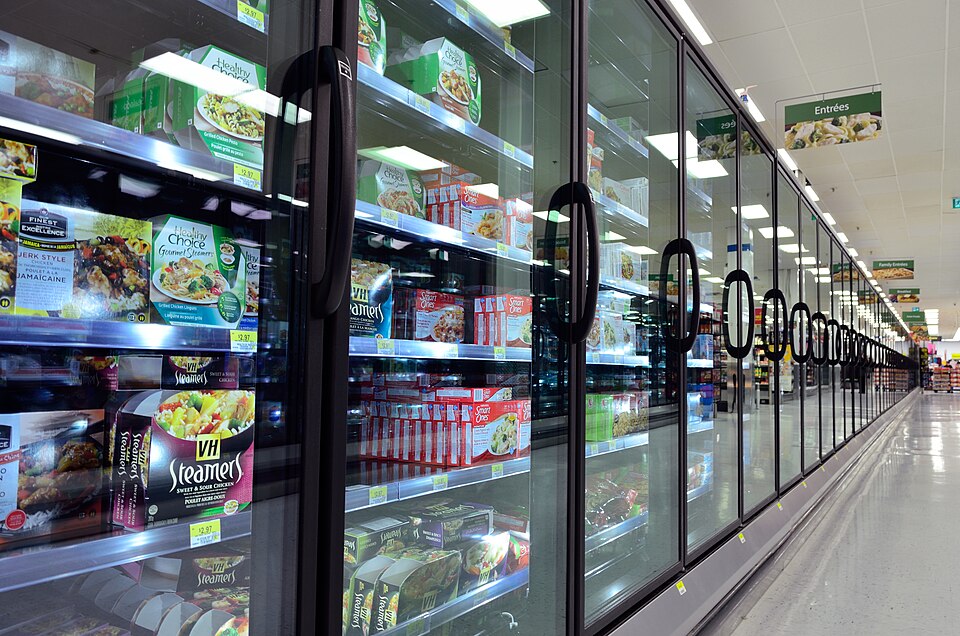
On the night of 11 to 12 October, attackers got into the refrigeration controls at hundreds of French supermarkets and pushed them into long defrost cycles. Some units were reported to have reached 50°C. Staff opened the freezers next morning to a blast of warm air, and a lot of food went in the bin. France's finance minister put the total at around 700 stores.
On 2 November it happened again across Europe, including 13 SuperValu stores in Ireland and shops in Sweden and Belgium. France's blood service also had temperature and defrost settings changed at three sites, through a refrigeration equipment supplier. It reported no harm to patients or blood products.
On 5 November five US agencies, including the FBI and CISA, warned anyone running cold storage to get their controllers off the internet, lock down remote access and keep their logs.
How the attackers got in hasn't been publicly confirmed. The reporting points to controllers reachable from the internet, old firmware, weak or default passwords and remote maintenance access.
What's actually going on
Think of a cold store controller as a very fussy thermostat with a phone line.
- Two numbers matter. The sensor reads the actual temperature. The target, or setpoint, is what the room should be. The controller switches the compressor on and off to keep one near the other.
- The screen on the wall is just a window. The operator screen shows what the controller is doing. Change the target there, or from anywhere else that can talk to the controller, and the result is the same.
- Engineers like to fix things from home. So controllers often have a way in over the network: an old plain-text maintenance console such as Telnet, or an industrial protocol such as Modbus, where the setpoint is just a numbered register.
- Many of these were built for closed factory networks. Standard Modbus has no username or password at all. Set up like that, the controller does what it's told by whoever can reach it.
- One router setting changes everything. Forward a port on the router so someone can "fix it from home" and the controller can be reached from anywhere on the internet. Search engines that catalogue internet-connected devices are built to find exactly that.
Watch the Briefing
Protect: stop the next one
For a Protect officer, the important result may be a cold store that never gets attacked. A shop, hospital or food supplier may not know its refrigeration equipment has a route in from the internet. You don't need to reconfigure the plant yourself; you need to know what to ask the people who maintain it.
- Is any controller exposed? Ask the operator and its IT or maintenance team to check internet-facing controllers, remote-access boxes and router port forwards. If a controller is reachable directly from outside, that is a risk worth addressing before an incident.
- Does the engineer still need that route? Remove unnecessary direct internet access. Where remote maintenance is essential, arrange a controlled route through a properly managed gateway, with strong sign-in protection and access limited to authorised people.
- Who can make a change? Check supplier and former-contractor accounts, default passwords and any shared logins. Give people only the access they need, and remove it when the job or contract ends.
- What happens if a setting changes unexpectedly? Ask about safe setpoint limits, temperature and defrost alarms, who receives them, and whether anyone actually reviews the logs. An alarm is only useful if someone can act on it.
- Could the organisation recover? Check with the technical team that firmware is supported, updates are planned safely, controller settings are backed up and restoration has been tested. Keep control equipment separate from ordinary office systems where practicable.
These checks follow the 5 November joint US government refrigeration advisory. They describe ways to reduce the risk, not a confirmed explanation of how the reported attacks happened. Changes to live refrigeration and safety systems should be planned with the responsible engineers.
If it happens: recognising and preserving evidence
For investigators and first responders, the challenge is spotting the possibility of interference before a routine repair wipes useful records. Protect teams can help businesses understand in advance what to retain and who to call.
- It looks like a fault. The first call may go to the refrigeration engineer, not the police. By the time anyone considers interference, a reset or replacement may have lost useful logs. Make the equipment and stock safe, and preserve records before resetting where practicable.
- Some controllers keep useful records. Depending on the equipment, these may include setpoint changes, alarms, times and source addresses. Ask the engineer what exists and whether it can be exported or photographed before routine work overwrites it.
- The router may explain the route in. Port forwards, remote-access settings and any available connection records can show how outside traffic reached the controller and sometimes the source address. They don't identify the person who used it.
- Ask who had remote access. Maintenance companies, equipment suppliers and former contractors may hold relevant access details. Check who was authorised at the time, not just who had an account.
- An IP address points at a connection, not a person. Follow it, but expect it to lead to a household or a business. Who was using that connection is the next question.
- Timing helps test the explanation. Compare setpoint changes, temperature readings and alarms with available connection records. An unexpected remote command may point beyond a mechanical fault; check whether the clocks agree and whether the access was authorised.
Have a go
At Kestrel Foods, a chilled-food wholesaler, a former maintenance contractor still has a route into the cold store. Start on his side of the connection, then follow the evidence.
Hack into the cold store from Dave's Ubuntu computer
Use Dave's terminal to find the exposed controller and send remote commands. See the operator screen respond and the records his actions leave behind.
Try the attack in the simulation → InvestigateWho changed the cold store?
Start from the morning after, examine the records and work out who changed it, and from where.
Follow the investigation → Explore freelyExplore the operator controls
See how the controller behaves when its target changes or a fault occurs, without the case story.
Explore the controls →Go deeper in the library
- What are smart devices and control systems, and why do they matter to an investigation?
- What is an exposed service?
- What does port forwarding have to do with home hosting?
- Could an attacker control a device without physically possessing it?
- What evidence may identify the remote controller?
- What should be recorded from a router display or interface?
- What does an ISP subscriber result actually establish?
Check your understanding
Five questions. Get them all right to complete this Briefing and log the CPD time to your record.
Someone turned the freezers into ovens. 0.5 hours CPD logged to your record on .
Sources
- BleepingComputer: Cyberattack shuts down refrigerators at French supermarkets (12 October 2026)
- eSecurity Planet: Hackers target 300+ French supermarkets
- Agriland: SuperValu withdraws chilled and frozen food in 13 stores after cyber attack
- ESM Magazine: SuperValu and Delhaize among supermarkets hit
- The Record: France's blood service refrigeration tampered with
- CISA, FBI, HHS, USDA and DOT joint advisory (5 November 2026)